
Measuring Product Qualified Leads: Methods, Metrics, and Actionable Steps

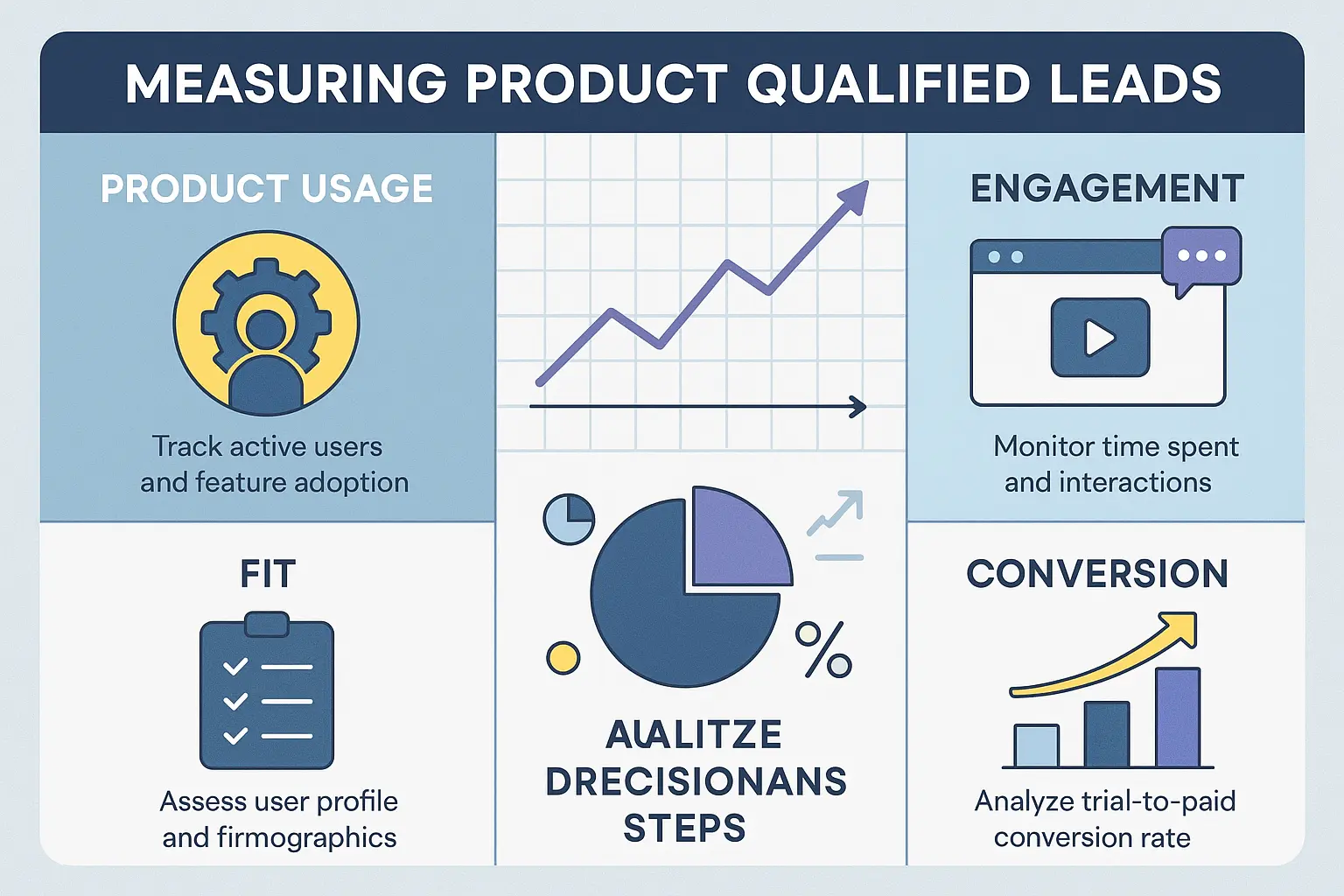
Figuring out which users are genuinely interested in your product—and might eventually become paying customers—is one of the most important challenges for SaaS teams. That’s where Product Qualified Leads (PQLs) come into play. Unlike traditional leads, PQLs have already experienced value from your product, often through a free trial or freemium version. Did you know that companies identifying and nurturing PQLs can increase their conversion rates from sign-up to paid by up to 25% or more, compared to focusing solely on marketing qualified leads?
Yet, measuring PQLs isn’t always straightforward. Each product has its own definition of what makes a user “qualified,” and the signals aren’t always obvious. This article aims to break down practical ways to define, measure, and act on PQLs—so you can move from guesswork to clarity, and turn more users into happy customers.
What Is a Product Qualified Lead?
A Product Qualified Lead (PQL) is someone who has reached a clear point of value with your product, based on actual usage, and shows clear potential to become a paying customer. Unlike prospects who only engage with marketing content or sit in sales pipelines, PQLs are users who have moved beyond curiosity—they’ve taken actions that prove your product solves a real problem for them.
Key Traits of PQLs
PQLs aren’t identified by gut feeling. You’ll see them activating key features, returning to use your product repeatedly, and often integrating it into their workflow. They may invite teammates, try premium options, or reach usage milestones that your happy customers typically hit. These behavioral signals can differ from product to product but always tie back to indicators that correlate with stronger buying intent.
PQLs vs. MQLs and SQLs: The Differences
It helps to see how PQLs stand out compared to other types of leads. A Marketing Qualified Lead (MQL) responds to campaigns or fills out forms—showing interest but not necessarily engaging with your product. A Sales Qualified Lead (SQL) might match your ideal profile and agree to a call, but may never have touched your product. Meanwhile, a PQL has already experienced real product value in their hands. The actions they take—using features, hitting subscription limits, or requesting integrations—create a stronger case for sales outreach or upgrade offers than website visits or webinar attendance ever could.
Now that you know what sets PQLs apart, let’s look at how to determine the specific criteria for identifying them in your own product—and why this step matters before you ever start measuring or optimizing for PQLs.
Defining Your PQL Criteria
Before you start measuring Product Qualified Leads (PQLs), you need to pinpoint exactly what a PQL looks like for your product. Clearly defined criteria ensure you’re not counting the wrong users or missing out on high-potential leads.
Behavioral and Usage Signals
Actions speak louder than signups. Focus on what users actually do in your product: have they completed a key workflow, invited teammates, or hit a milestone feature? Track behaviors that indicate a real evaluation or intent—think of signals like activating a key integration, reaching a certain usage threshold, or returning consistently in the first week.
Firmographic and Demographic Fit
A user’s company size, industry, and role matter. If your ideal customer is a mid-sized SaaS business, a solo freelancer might not be the best fit, no matter how active they are. Use data from signup forms, enrichment tools, or CRM fields to filter for company characteristics and buyer personas that match your target market.
Aligning Criteria with Product Value Moments
PQLs should reflect users who truly experience value. Map your criteria to specific actions—like completing onboarding, sending their first invoice, or hitting a usage benchmark. Analyze past conversion patterns to identify which product moments tend to convert users into paying customers, and anchor your qualification on these milestones.
With clear criteria, you can move on to mapping out how to track these signals and structure the flow from user actions to PQL status. Let’s look at how to put your definition into practice with robust measurement methods.
Setting Up a Measurement Framework
Choosing Events and Indicators to Track
Deciding what to track starts with identifying the product actions that signal genuine interest and readiness. Look for activities that demonstrate value realization, such as completing onboarding milestones, using a key feature for the first time, inviting team members, or surpassing a threshold of active days. Each product will have its own “aha” moments—capture these as triggers for qualification.
Include negative signals as well. For example, if a user hits friction or abandons tasks after an initial flurry of activity, that drop-off is as informative as positive engagement. Map each event precisely so you’re not relying on vague indicators.
Integrating Data from Multiple Tools
Rarely does a single tool capture every signal you need. Product analytics platforms, CRM systems, customer feedback surveys, and support ticket systems all contribute different PQL clues. To get the whole picture, sync and unify this data. Use data integration platforms or native connectors to tie product events with CRM profiles and support interactions.
Set up automated workflows for data hygiene—deduplication, normalization, and enrichment. This keeps your PQL scoring sharp and trustworthy, reducing noise from incomplete records or false positives.
Sample PQL Qualification Workflows
A typical workflow starts when a user triggers a primary product event—say, activating a critical feature. Automated rules then check for supporting signals, such as company size or engagement streaks. If the user matches your qualification profile, flag them as a PQL and push them to the sales team for fast follow-up. Feedback from downstream (sales, success, or product) can flow back into your system to refine the criteria further.
Visually mapping this qualification process helps spot any gaps or bottlenecks. Flowcharts or integration diagrams are invaluable tools for diagnosing where signals might be getting lost.
The real power of a solid measurement framework lies in its ability to surface clear, quantifiable numbers at each stage. Next, let’s break down which metrics matter and how to interpret the numbers you gather from your framework.
Thank you for reading EasyVC’s blog!
Are you looking for investors for your startup?
Try EasyVC for free and automate your investor outreach through portfolio founders!
Ready to turn product insights into a steady stream of high-value leads? Understanding what triggers a user to truly engage with your product can unlock real growth opportunities.
It’s not about collecting more data—it’s about knowing exactly which actions reveal a user is ready for a conversation. Start measuring what matters most, and let data guide your moves from now on.
But just knowing where to look isn’t enough. Next, let’s dive into the numbers that should guide your decisions, showing you if your strategies are working—and where to double down.
[CTA-HOOK]Key Metrics for Measuring PQLs
PQL Volume and Rate
Start by tracking the total number of product qualified leads each week or month. This helps reveal growth patterns and trends. But don’t stop at volumes—calculate the PQL rate by dividing the number of PQLs by your total pool of sign-ups or activated users. A sudden spike or drop in this rate is a sign to investigate what’s changing in your product experience.
Conversion from PQL to Paid
The most telling metric is how many PQLs convert to paying customers. Monitor this as both a percentage and an absolute number. High conversion rates signal that your qualification criteria are targeting accounts with a strong fit and intent. If the number is low, review your definition of a PQL or inspect for friction in the purchase process.
Benchmarks: What Does Good Look Like?
PQL-to-paid conversion rates typically range from 15% to 40% for healthy product-led companies, but context matters. Track your own baseline, then compare it with industry data to spot opportunities for improvement. Remember to segment by user type or source—growth is often hidden in cohorts rather than aggregate data.
By understanding these metrics, you’ll know not just how many PQLs you’re generating, but also whether your process actually drives real results. Next, we’ll dive into how to turn these insights into actions that drive both user experience and revenue forward.
Turning Insights Into Action
Optimizing User Onboarding for PQL Growth
Once you understand what drives product-qualified behavior, focus your onboarding around pushing users toward those key “aha” moments. If your data shows that users who complete a template or connect an integration become PQLs at a higher rate, streamline onboarding flows to highlight and simplify these steps.
Remove distractions and take users directly to features tied to qualification. Personalize prompts based on user role or segment when possible. Small adjustments—clearer tooltips, progress indicators, or in-app checklists—can dramatically lift PQL conversion rates by making valuable actions obvious and frictionless.
Engaging and Nurturing PQLs Effectively
PQLs aren’t just numbers; they represent users on the cusp of real value. Segment them in your CRM or product analytics and trigger tailored follow-ups the moment a user crosses your PQL threshold. Rather than rely on generic sequences, use your insights to match messaging to what users have actually done.
Send timely prompts: If a user triggered your PQL event but hasn’t finished a valuable action, offer a one-to-one tip or targeted email nudge. For high-fit accounts, deliver contextual product education, surface success stories, or invite them to a sales conversation at just the right time.
Tracking and Improving Over Time
Don’t set it and forget it. Built-in dashboards can monitor your PQL rates, but schedule regular reviews of conversion trajectory and drop-off points. When you spot bottlenecks, dig deeper—an onboarding task might need clarification or a nurturing campaign could use more precise timing.
As your product evolves, so should your PQL criteria and workflows. Use experiments like A/B tests on onboarding sequences or trial extension offers, then adjust based on what actually moves the needle. Treat the process as a living feedback loop, not a static checklist.
As you put these actions into play and see your PQL numbers respond, it can be helpful to see what this looks like in other SaaS companies. The next section will break down real-world examples so you can compare strategies and find ideas to test in your own flows.
Real-World Examples: Measuring PQLs in SaaS
A Simple Free Trial PQL Flow
Imagine a SaaS tool that helps teams manage projects. The company offers a 14-day free trial, aiming to convert free users to paying customers. The product team defines a ‘Product Qualified Lead’ as someone who creates at least three projects and adds five team members during their trial.
Here’s how they track and act on this PQL definition:
This approach gives a clear signal about who is most likely to buy, and makes it easy for sales to focus their efforts where they matter most.
Feature Usage-Based Qualification in Action
Let’s look at a SaaS analytics platform that offers several advanced features, only unlocked on premium plans. After analyzing historic conversion data, they identify that users who create at least one custom dashboard and invite a colleague are three times more likely to upgrade.
The team measures PQLs by:

This user-centric approach lets the SaaS provider prioritize resources on leads who have experienced key product value, nudging them toward conversion at the right time.
By looking at real workflows, you can see how tailored tracking and well-tuned automation turn vague user intent into actionable sales and marketing signals. Next, let’s unpack some of the most common questions teams face as they start measuring and optimizing for PQLs.
Frequently Asked Questions About Measuring PQLs
How do I know if someone is a Product Qualified Lead?
PQLs are users who engage deeply with your product’s core features and fall into your ideal customer profile. Look at users who go beyond signing up—those who use key functions, reach set milestones, or connect accounts. Metrics can include number of sessions, activated integrations, or features used. Tailor these signals to what matters most for your specific product.
What tools can help identify and track PQLs?
Product analytics tools like Mixpanel, Amplitude, or Heap track usage patterns. Combine these with CRM systems such as Salesforce or HubSpot. Integration platforms like Segment can route data between tools so you get a unified view. Tag accounts that meet PQL criteria and keep your sales and marketing teams in the loop instantly.
How often should PQL criteria be revisited?
Your PQL model isn’t a one-and-done setup. As your product evolves or you target new markets, review your criteria at least quarterly. Compare PQL cohorts with actual conversions—are the right people becoming paid users? If not, tweak your signals or thresholds.
Does the definition of a PQL change between companies?
Absolutely. Every product, audience, and value proposition is different. A collaborative tool may track invited teammates; a freemium SaaS might focus on uploaded files. Borrow ideas, but customize your criteria based on what best predicts account upgrades for your business.
How soon should sales reach out after someone is flagged as a PQL?
Act fast—timely engagement yields better results. Ideally, your system notifies the team in real-time or within one business day. The sooner you start a relevant conversation, the higher the chance of conversion.
Clarifying measurement methods and tools is half the battle. Next, let’s look at which metrics tell the real performance story and where to focus your attention for maximum impact.